
If you're building or redesigning a healthcare intranet, you've probably asked yourself:
-What should our intranet homepage look like?
-What do employees actually need?
-And, how can we make everything easier for them to find?
Meeting all these different needs isn't always easy. We've worked with healthcare organizations over the years and seen how frustrating it can be when information is scattered across different sites and systems. It's especially challenging when employees work across multiple departments, facilities, and shifts.
In this guide, we'll walk you through four ready-to-install SharePoint healthcare intranet templates, explain what makes each one useful, and share best practices you can apply to your own intranet.
What Is a Healthcare Intranet?
A healthcare intranet is a private employee website that brings workplace tools, information, and resources together in one place.
Hospitals and clinics use intranets to give staff easy access to schedules, clinical guidelines, employee policies, and internal announcements. Pharmaceutical and biotech companies use them to organize standard operating procedures (SOPs), quality documentation, and compliance resources.
A healthcare intranet doesn't replace specialized systems like electronic health records (EHRs), quality management systems (QMS), or learning management systems (LMS). Instead, it serves as a central hub where employees can quickly access these systems and find the information they need.
Many healthcare organizations build their intranets using Microsoft SharePoint because it integrates with Microsoft 365 and includes built-in tools for company news, document management, navigation, and department sites.
What Should a Healthcare Intranet Include?
A healthcare intranet should help employees quickly find the information, tools, and services they need throughout their workday. Common features include:
Quick Access to Workplace Applications: Links to EHR systems, employee scheduling, and other frequently used applications.
Policies and Procedures: Easy access to clinical guidelines, standard operating procedures (SOPs), quality documents, and workplace policies.
News and Announcements: Company news, operational updates, safety alerts, and important policy changes.
Training and Compliance: Access to mandatory training, learning platforms, and required policy acknowledgments.
Staff Directory: A searchable directory to help employees find colleagues, departments, and contact information.
The key is to prioritize the resources employees use most often, so they can find what they need without searching through multiple pages or systems.
4 Healthcare Intranet Examples for 2026
To give you an idea of what a modern healthcare intranet can look like, we've put together four SharePoint templates designed for hospitals, clinics, pharmaceutical companies, and other healthcare organizations.
Unlike typical design examples, these are ready-to-install templates you can use and customize in SharePoint Online.
The first is free and built with standard SharePoint web parts. The other three are premium templates available with an Origami license.
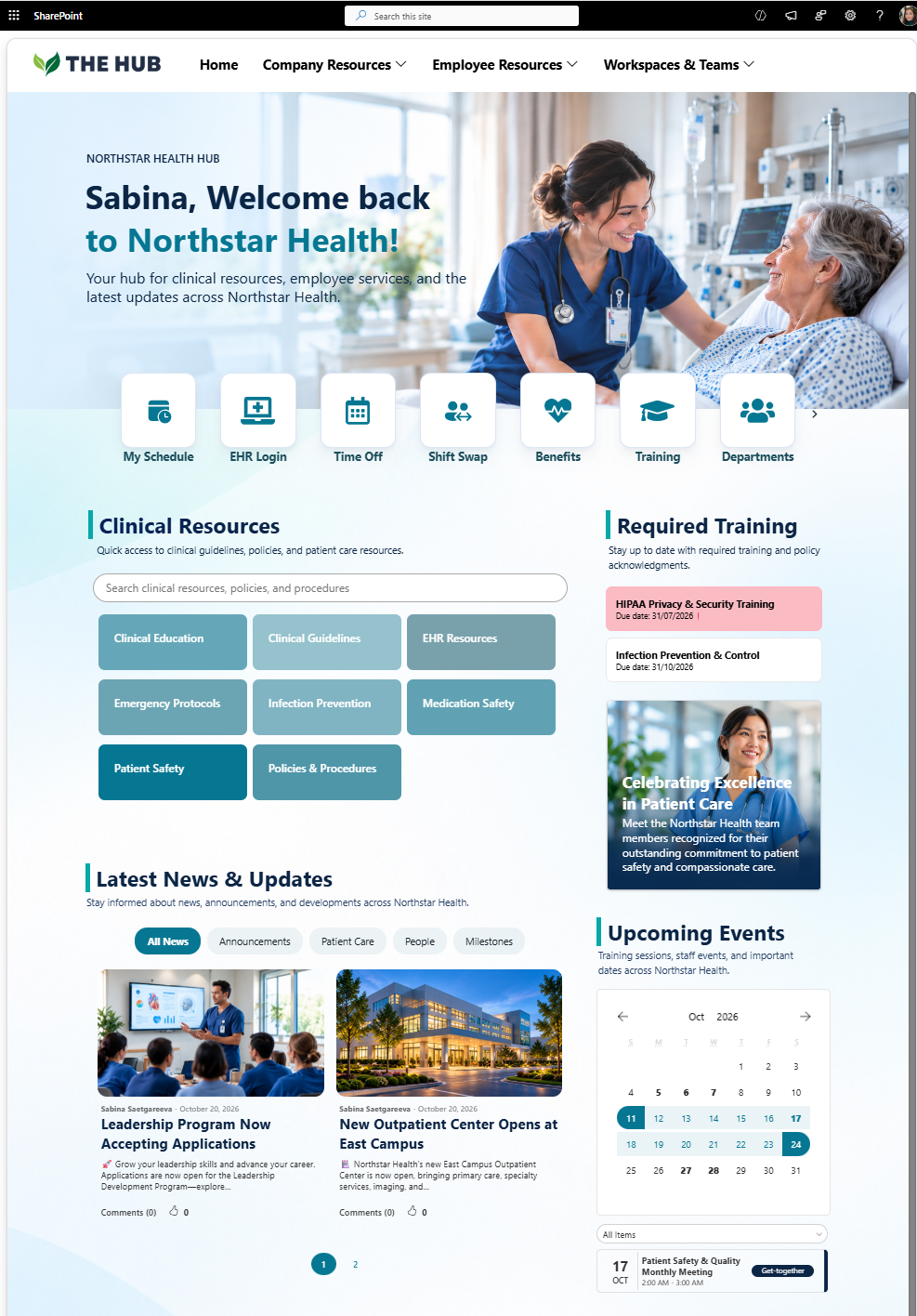
1. Healthcare Intranet Homepage (Free sharepoint template you can install)
Clinical employees don't all use the intranet in the same way. Nurses may need quick access to patient care guidelines and shift schedules, while administrative staff are more likely to look for HR policies, benefits, or company announcements.
This simple and free SharePoint intranet template which is best for smaller healthcare organizations, shows how you can bring these different needs together on one homepage without making it feel cluttered.
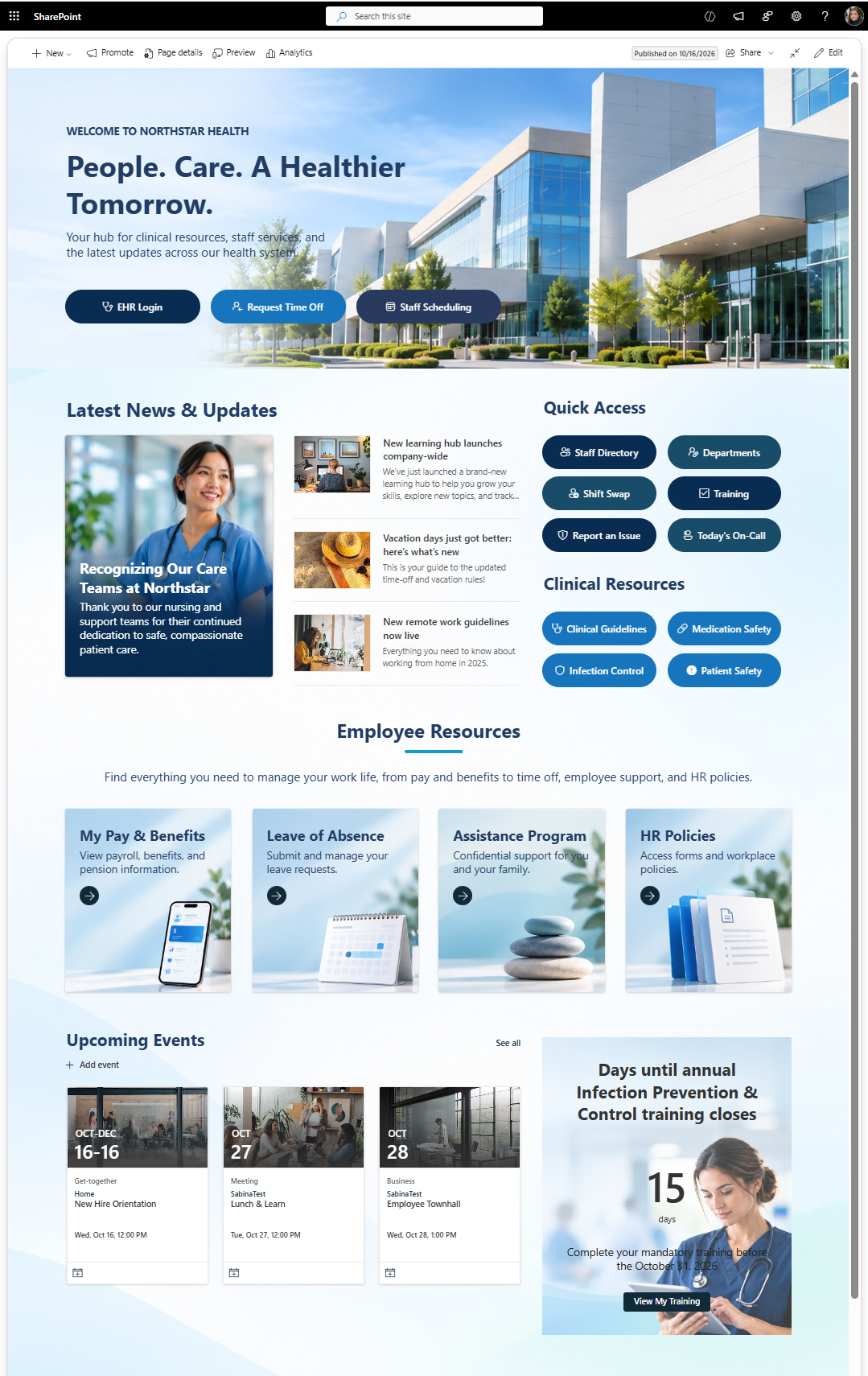
Here's why this template works well for healthcare employees:
Quick access to daily tools. Nurses, physicians, and other staff can open EHR systems, check schedules, and request time off directly from the main banner.
Clinical resources in one place. Frontline teams can quickly find clinical guidelines, medication safety procedures, and infection control resources.
Easy access to HR information. Employees can find benefits, payroll, leave policies, and support resources without contacting HR.
Updates for the entire hospital. Staff can catch up on hospital news, employee recognition, and upcoming events.
Visible training reminders. A countdown helps employees keep track of mandatory training deadlines.
You can install this free SharePoint template and start customizing it right away. All of the out of the box SharePoint functionality is available for you.
2. Hospital Intranet with Clinical Resource Center
In large hospitals and health systems, clinical resources are often managed by different departments. Nurses and other care teams may need to search across multiple sites and systems to find the latest infection prevention guidelines, emergency protocols, or patient safety procedures.
This SharePoint intranet example makes these resources easier to find while bringing required training, hospital news, and everyday employee tools together on one homepage.
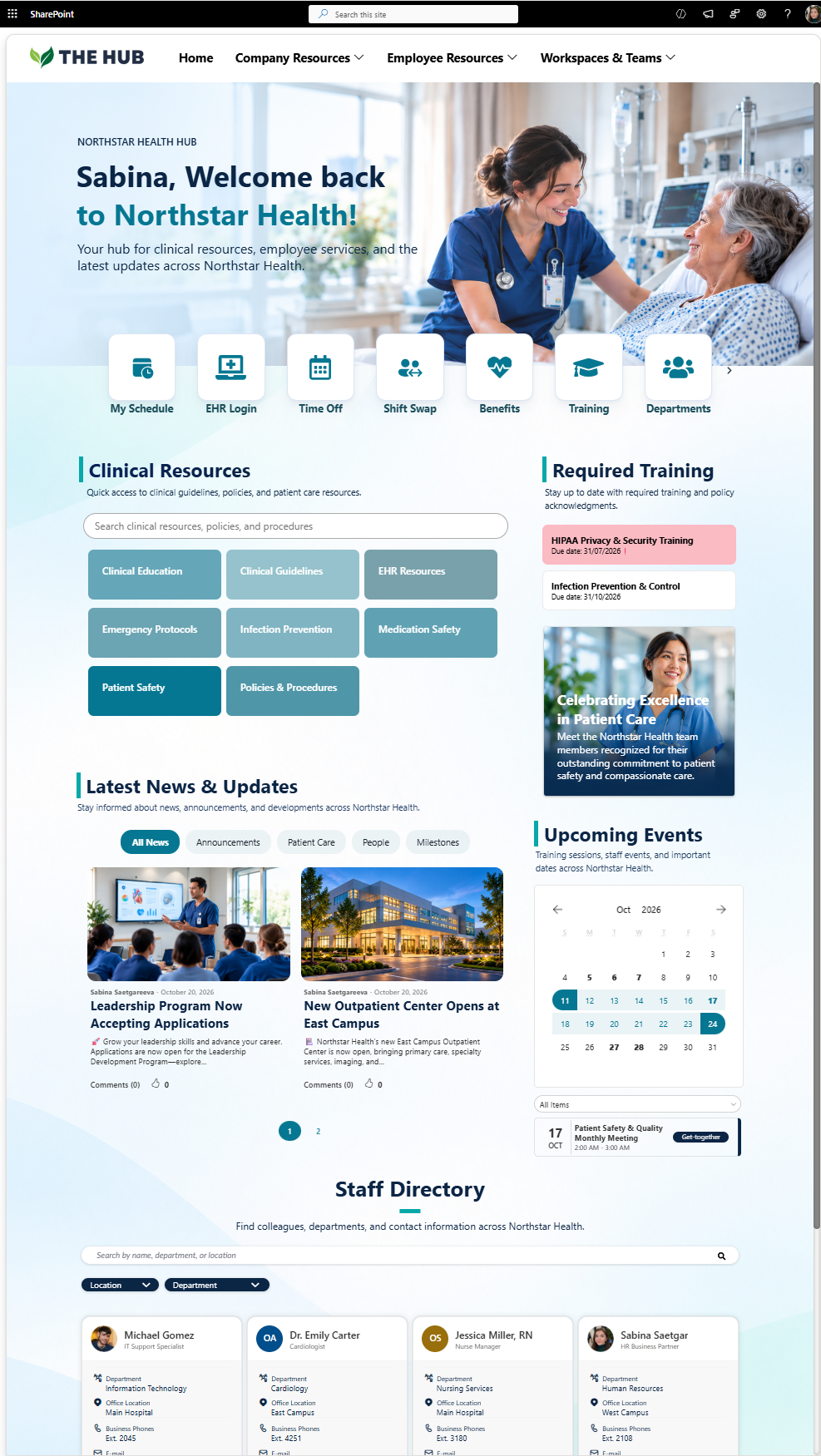
Here's how this design helps different hospital teams:
Find clinical resources faster. Nurses and care teams can search for infection prevention guidelines, medication safety procedures, and emergency protocols across SharePoint department sites.
Keep up with required policies. Employees can see policies they need to read and acknowledge, while HR and compliance teams can assign deadlines and track completion.
Access everyday applications. Physicians, nurses, and other staff can open EHR systems, check schedules, request time off, or swap shifts directly from the homepage.
Stay informed across departments. Clinical and administrative teams can filter hospital news to find relevant announcements, patient care updates, and upcoming events.
Find colleagues quickly. Employees can search the staff directory by name, department, or location to find the right contact.
Standard SharePoint can publish documents and link to department libraries. Origami adds cross-site resource discovery and dedicated policy acknowledgment tools, reducing the need for manual follow-up emails and spreadsheets.
3.Pharmaceutical & Biotechnology Intranet
Whether they're looking for an approved SOP, accessing a quality management system, or checking required training, employees in pharmaceutical and biotechnology companies need reliable information to do their jobs. But with Manufacturing, Quality Assurance, R&D, and Regulatory Affairs using different systems and resources, finding what they need can take time.
What is great about this homepage is that employees can access everyday applications, find quality resources, complete required training, and stay informed about clinical development updates.
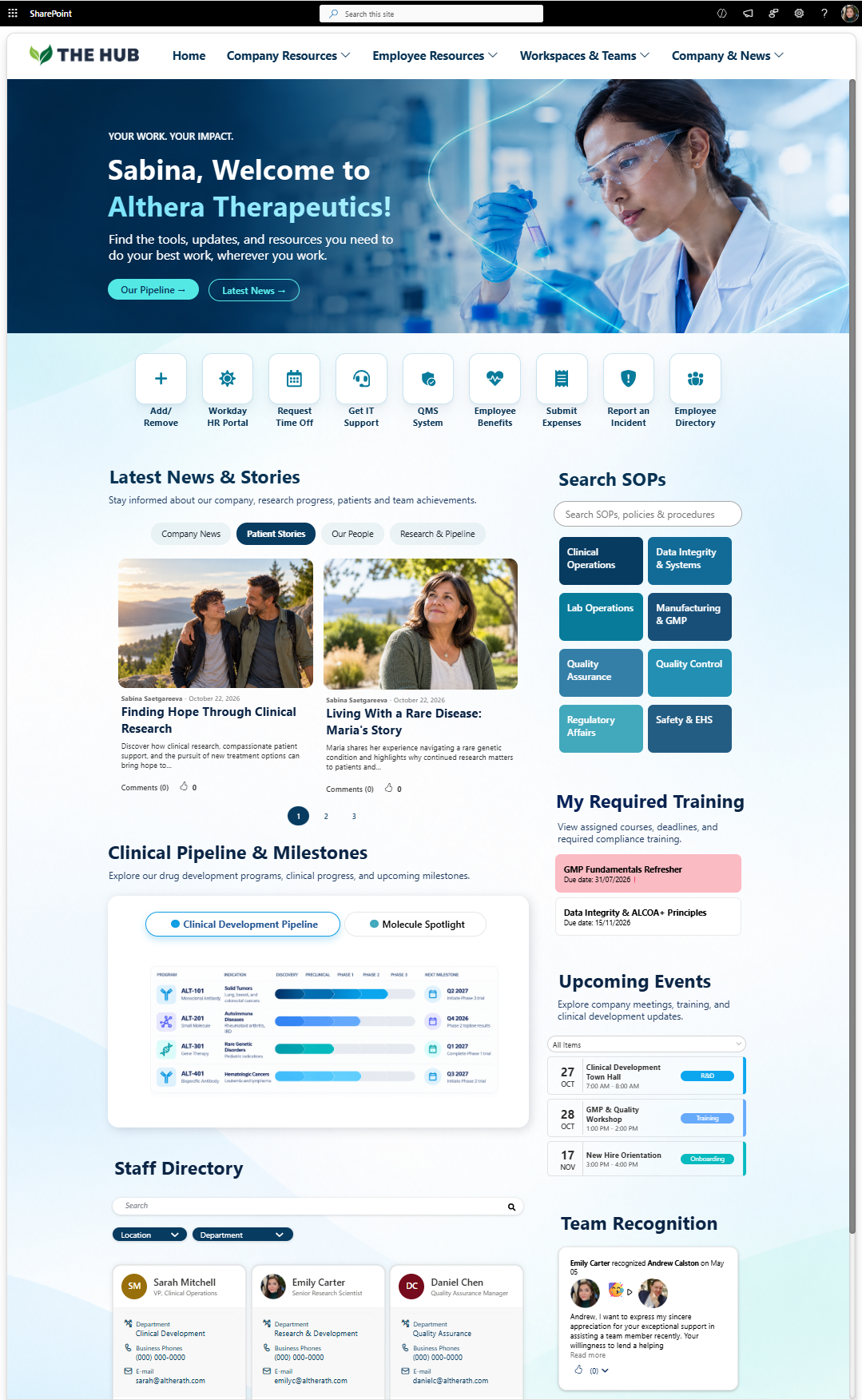
Here's how this design helps different pharmaceutical teams
Find SOPs faster. Manufacturing, Quality Assurance, and laboratory staff can search for procedures and access approved SOP repositories by department.
Access everyday applications. Employees can open the QMS, report incidents, submit expenses, or access Workday directly from the homepage.
Keep up with required training. Employees can see assigned GMP and data integrity training and see their upcoming deadlines
Track policy acknowledgments. Quality and compliance teams can assign required policies, monitor acknowledgment rates, and identify employees who haven't completed them.
Follow clinical development progress. R&D and Clinical Operations teams can view pipeline milestones, development stages, and research updates.
Find colleagues quickly. Employees can search the staff directory by name, department, or location.
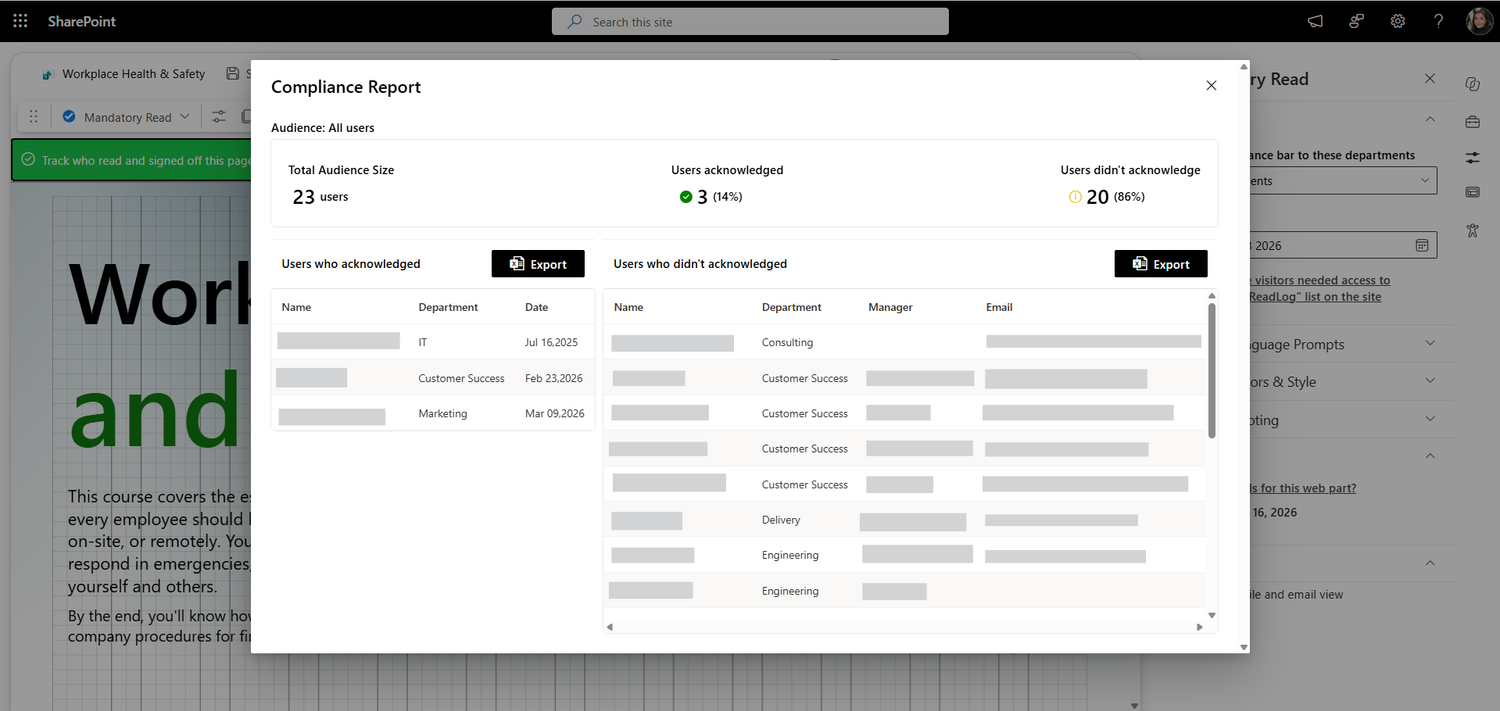
Origami Compliance Dashboard shows policy acknowledgment rates and identifies employees with outstanding requirements.
Built with Origami web parts, this template helps pharmaceutical and biotech companies organize department resources, provide access to approved quality and training systems, and track required policy acknowledgments without replacing specialized compliance systems.
4. Hospital Employee Engagement Intranet
A nurse working overnight and an administrator working regular office hours may have very different opportunities to catch up on hospital news. With employees focused on patient care and working different schedules, recognition events, staff celebrations, and company announcements can be easy to miss.
This homepage puts employee achievements and hospital news at the center of the design while keeping essential workplace applications accessible.
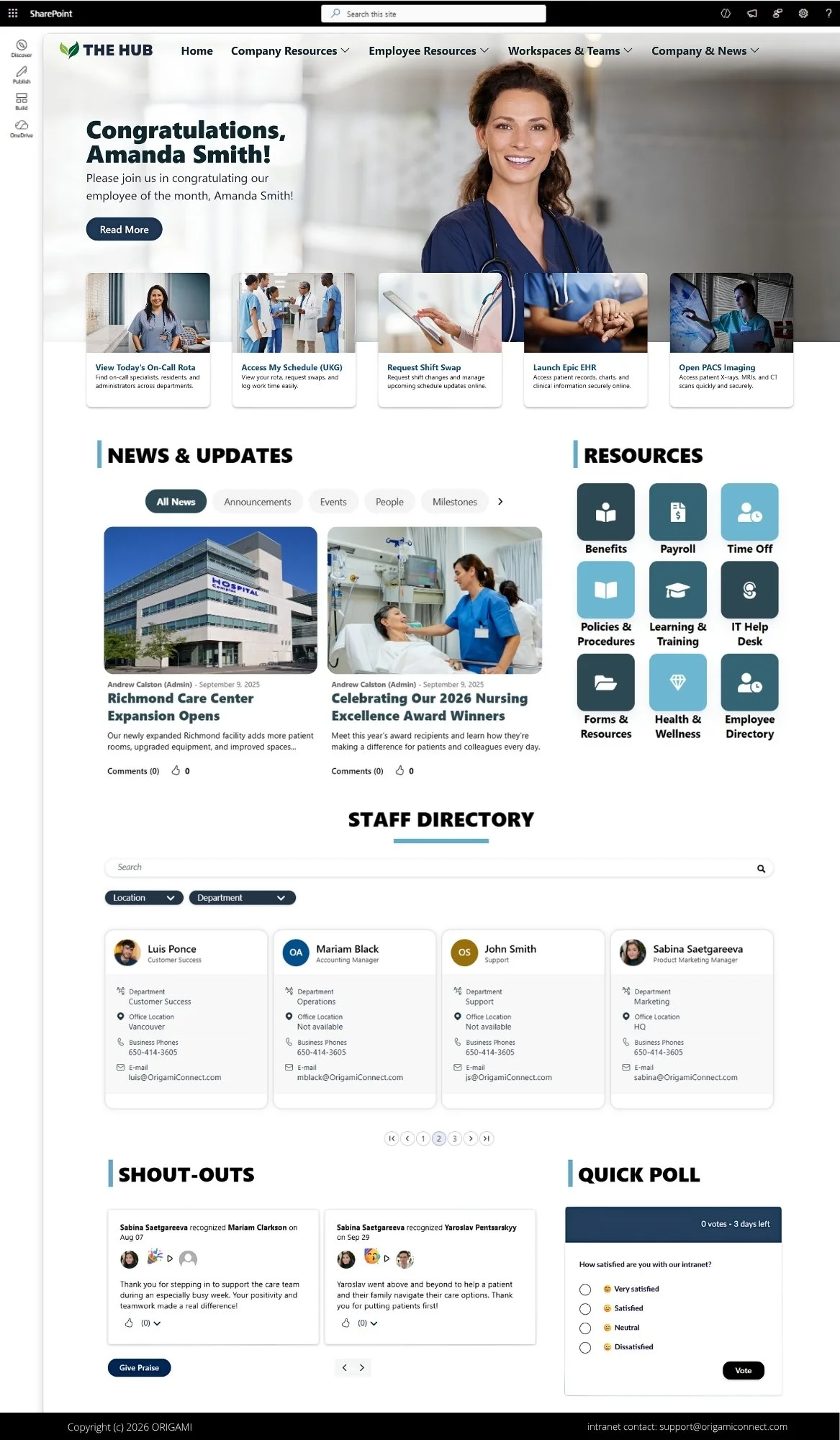
How this design meets employee needs:
Recognition leads the homepage. A large hero banner highlights employee achievements and hospital milestones, giving staff stories more visibility than a standard news list.
Employees can recognize coworkers directly. Origami Kudos allows staff to acknowledge colleagues for supporting a busy shift, helping a new team member, or contributing to a department project.
Feedback is part of the homepage. Polls let employees respond to questions about workplace initiatives, staff events, and internal activities.
Workplace tools remain available. Scheduling, EHR, and employee services can still be accessed through quick links without dominating the page.
Standard SharePoint can publish employee stories through News and Hero web parts. Origami Kudos and Polls add ways for employees to participate directly.
Healthcare Intranet Design Best Practices
The examples above show what a modern healthcare intranet can look like. But beyond choosing the right features, there are a few important design decisions that can make the intranet easier to use, especially in healthcare environments.
Design for Shift Workers and Shared Workstations
Not every hospital employee has a personal laptop or time to browse through multiple pages. Nurses, physicians, and other frontline staff may access the intranet from shared workstations between patient care responsibilities.
Keep navigation simple, make frequently used links easy to recognize, and ensure important resources are accessible within a few clicks. Test the homepage on the devices employees actually use, including approved shared workstations and mobile devices.
Keep Operational Alerts Separate from General News
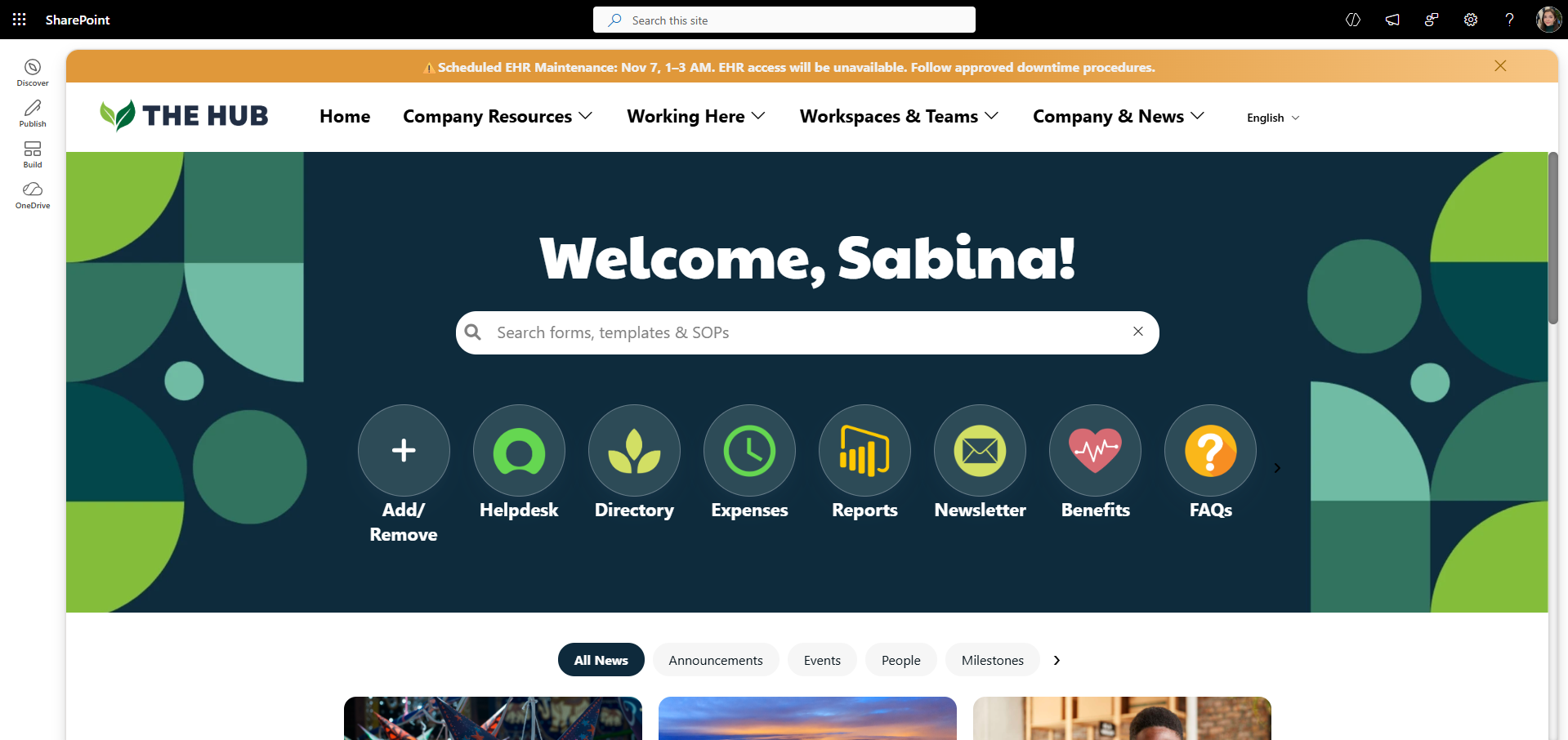
A scheduled EHR outage or an important policy update shouldn't get lost among employee recognition stories and company announcements.
Give time-sensitive operational notices a dedicated space on the homepage, separate from general news and upcoming events. Use clear headings and include relevant dates, affected systems, and any actions employees need to take.
Urgent clinical and patient safety communications should still follow the organization's established emergency notification procedures.
Keep the Homepage Focused on Everyday Tasks
Trying to fit every department, document, and application onto one homepage can make it harder for employees to find anything.
Prioritize the resources employees use most frequently, such as scheduling, clinical guidelines, workplace applications, and employee services. Move less frequently used information to department pages or dedicated resource centers.
For organizations with different employee groups, use role-specific shortcuts where appropriate so staff can find relevant tools without navigating through long lists of unrelated links.
Protect Sensitive Information with Appropriate Permissions
Not every hospital employee should have access to the same information. HR teams may work with confidential employee records, while clinical departments may need access to restricted procedures and internal documents.
Use SharePoint permissions and Microsoft 365 security groups to control who can access sensitive content. Keep patient records in approved clinical systems rather than publishing them on general intranet pages.
Test access with different employee roles before launching the intranet to make sure staff can find the resources they need without seeing information they shouldn't.
Link to Approved Documents Instead of Duplicating Them
Clinical guidelines, standard operating procedures (SOPs), and quality documents often require formal review, approval, and version control.
Rather than uploading copies of these documents to different SharePoint sites, link employees to the organization's approved document repositories. This helps reduce the risk of employees finding outdated procedures.
Use clear categories such as Infection Prevention, Patient Safety, Manufacturing SOPs, and Quality Documents so employees know where to look.
How Origami Connect Helps Build Healthcare Intranets
SharePoint provides a foundation for building a healthcare intranet, but hospitals and healthcare organizations often need more than standard news, document libraries, and navigation.
Origami adds ready-to-use SharePoint web parts that help address common challenges:
Make information easier to find. Bring together policies, clinical resources, forms, and department information from different SharePoint sites.
Simplify everyday work. Give employees personalized shortcuts to applications, searchable staff directories, and access to IT, HR, and Facilities support requests.
Support training and compliance. Highlight required learning, assign policy reading, track acknowledgments, and give administrators visibility into outstanding requirements.
Improve internal communication. Share relevant news, operational updates, upcoming events, and employee recognition across departments and locations.
Create an intranet employees actually use. Build clear navigation, customize homepage layouts, and use analytics to understand which pages and resources employees visit.
These are just some of the capabilities available with Origami. Organizations can start with a ready-to-install healthcare intranet template, customize it for their employees, and add functionality as their needs evolve.
All of this builds on their existing SharePoint environment without requiring a separate intranet platform.
Security Considerations for Healthcare Intranets
For healthcare organizations, protecting sensitive information is a priority. When choosing intranet software, it's important to understand where data is stored, how access is controlled, and whether information is shared with external services.
Origami builds on the security infrastructure healthcare organizations already use in Microsoft 365, including SharePoint permissions and access controls. With no external hosting or data storage required, organizations can extend their intranet while keeping information within their existing Microsoft 365 environment. This supports their broader security and compliance efforts, including HIPAA requirements where applicable.
What Healthcare Customers Say About Origami
Origami is used by healthcare organizations, including Kaiser Permanente, one of the largest healthcare organizations in the United States.
Beyond the homepage examples shown earlier, feedback from healthcare professionals provides another perspective on how Origami is used in practice.
In verified customer reviews by Capterra, healthcare professionals have shared their experiences using Origami Connect:
Origami has changed our Sharepoint sites for the better! The customizations that Origami allows has changed our Sharepoint sites to be beautiful & dynamic that caters the content to each specific person! It is so easy to use and install and just an incredible product to upgrade your Sharepoint environment
Source: Capterra review
Origami helped us to build and scale a true Intranet for our company. They have been great, support is always responsive and have check in multiple times to ensure everything is operating as it should be. Highly recommend Origami!
Source: Capterra review

Sabina Saetgareeva is a Digital Marketing Specialist at ORIGAMI. She helps infuse ORIGAMI brand with what customers need and seek. Sabina is an avid reader of the future of work, digital transformation, and trends in Digital Employee Experience.